'RepairImage.vbs
'Start of Image Preview Repair
'This section repairs the associations for Image Preview
Option Explicit
'Declare variables
Dim WSHShell, p1, p2, p3
Set WSHShell = WScript.CreateObject("WScript.Shell")
p2 = "\ShellEx\{BB2E617C-0920-11d1-9A0B-00C04FC2D6C1}\"
p3 = "{7376D660-C583-11d0-A3A5-00C04FD706EC}"
For Each p1 in Array(".art",".bmp",".dib",".gif",".jfif",".jpe",".jpeg",".jpg",".png",".wmf")
WSHShell.RegWrite "HKCR\" & p1 & p2, p3
Next
p1 = ".tif"
p3 = "{1AEB1360-5AFC-11d0-B806-00C04FD706EC}"
WSHShell.RegWrite "HKCR\" & p1 & p2, p3
p1 = ".tiff"
WSHShell.RegWrite "HKCR\" & p1 & p2, p3
p1 = ".htm"
p3 = "{EAB841A0-9550-11cf-8C16-00805F1408F3}"
WSHShell.RegWrite "HKCR\" & p1 & p2, p3
p1 = ".html"
WSHShell.RegWrite "HKCR\" & p1 & p2, p3
'Start of Thumbnail Repair
'This section repairs the view in Thumbnail mode of Explorer.
p2 = "\CLSID\"
p3 = "{25336920-03F9-11cf-8FD0-00AA00686F13}"
For Each p1 in Array(".art",".bmp",".dib",".gif",".jfif",".jpe",".jpeg",".jpg",".png",".tif",".tiff",".wmf")
WSHShell.RegWrite "HKCR\" & p1 & p2, p3
Next
MsgBox "Image Preview and Thumbnail View File" & vbCR & "Associations have been restored.", 4096, "Confirmation"
Set WSHShell = Nothing
********************************************************************
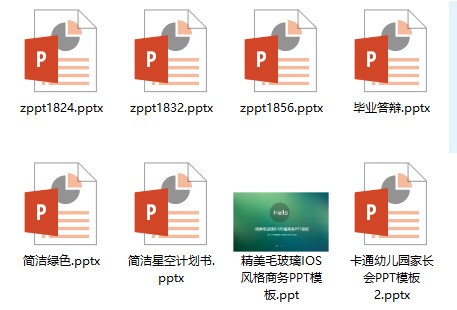
以上代码复制到记事本,重命名为 fixthumbnails.vbs 后双击运行,我前不久也遇到这个问题,就是这样解决的。
********************************************************************
PS:与一楼代码略有不同,希望对你会有所帮助。
********************************************************************
另,一楼所说“一定是记事本,不是文本文档”,还真不知道记事本和文本文档有啥区别,大概是想说写字板吧.....

















 手机性能天梯图
 显卡天梯图
显卡天梯图
 CPU天梯图
 电源天梯图
电源天梯图 固态硬盘天梯图
 新品日历
新品日历